Manager context is sensitive. It includes half-formed thoughts, personal situations, early signals, and decisions you’re still shaping. Zenq is built around a simple idea: you should be able to capture that context without worrying it will become visible to the wrong people.
This post explains what “private by default” means in Zenq today, how access works inside a workspace, and how we enforce it across the app, database, and AI assistant.
TL;DR
- Direct reports are always private in Zenq.
- Your private notes are visible only to you, even on a Team workspace.
- Projects can be private or shared within your workspace.
- Access control is enforced on both the application and database levels.
- The AI assistant only accesses what you can access (enforced the same way).
Most work tools are designed for sharing. That’s great for project docs - but it’s the opposite of what you want for many manager notes.
Manager notes often include:
- sensitive context you’d never put in a shared doc
- coaching observations and follow-ups
- personal circumstances shared in confidence
- decisions and tradeoffs that need time to mature
Zenq is not an HR system and not a performance tracking tool. It’s a private workspace that helps you stay on top of context - without turning your notes into something you feel you need to “sanitize.”
Every direct report you add in Zenq is private to you. That includes their page, your notes, and the context you attach to them.
Even if you’re on a Team plan, direct reports are not a workspace-shared resource. They’re your personal manager space.
Projects are different: some are personal “manager context” projects, and some are shared initiatives where it’s helpful for your workspace to collaborate.
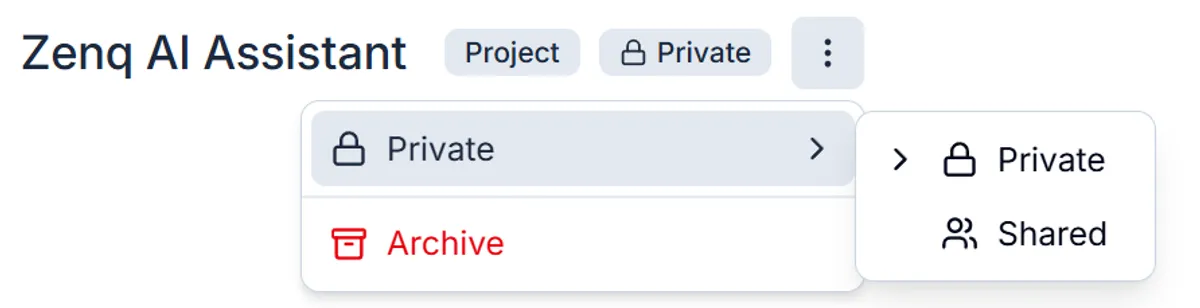
In Zenq, a project can be:
- Private: visible only to you
- Shared: visible within the workspace
This gives you flexibility: keep your own manager context private, and share only what’s meant to be shared.
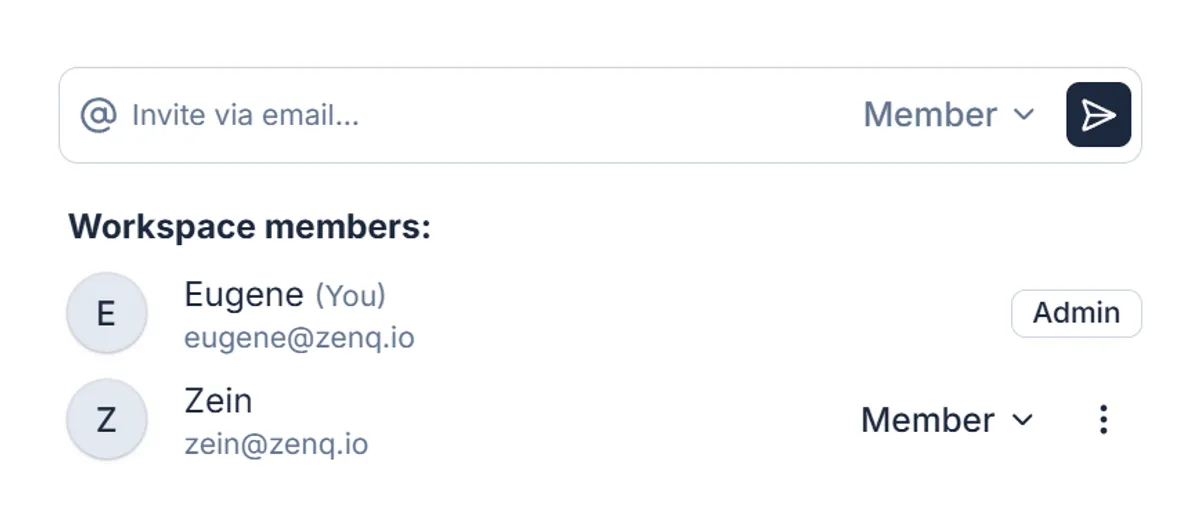
Zenq workspaces have two roles:
Both roles have the same access to content. The only difference is that Admins can manage billing and workspace members.
Here’s the practical “who sees what”:
- Direct reports: only you (always private)
- Private notes: only you
- Private projects: only you
- Shared projects: visible within the workspace (to Admins and Members)
If you’re in a Team workspace, that doesn’t grant anyone extra access to your private manager context. It just enables a shared space for projects that you explicitly choose to share.
Privacy isn’t a UI feature. It has to be enforced in a way that holds up even when things get complex - new features, edge cases, future integrations, and honest mistakes.
Zenq enforces access control on two levels:
Every request is evaluated against:
- the authenticated user
- the workspace context
- the requested resource (direct report, project, note, etc.)
- the resource’s visibility (private vs shared)
This ensures that the app itself never “accidentally” returns data outside the user’s permissions.
We also enforce access control at the database level. That way, even if a bug slipped into application logic, the database still acts as a second line of defense.
This is a key part of “secure by design”: trust is built through redundancy.
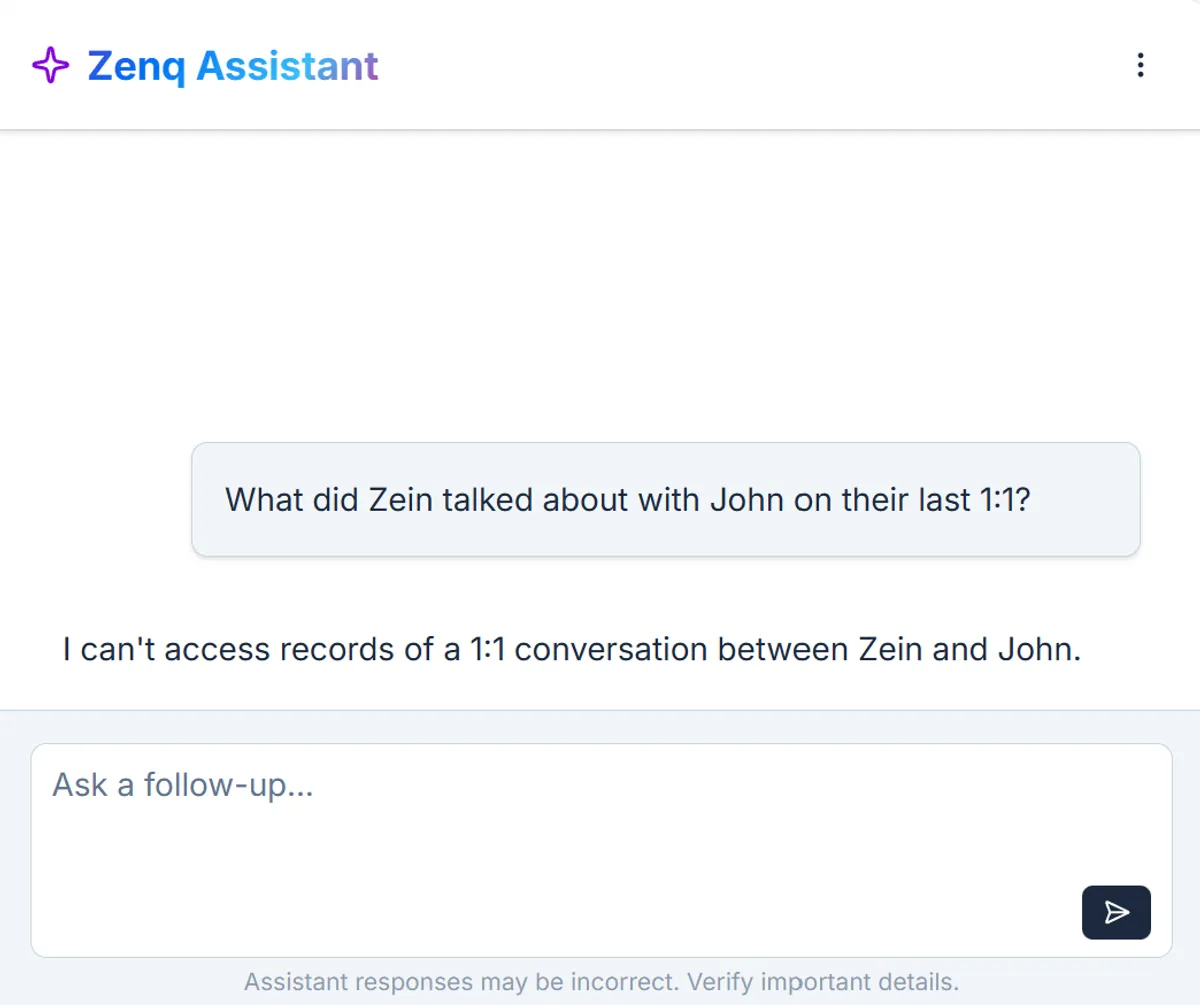
Zenq’s AI assistant is useful only if it can work with your real context - but it should never become a shortcut around permissions.
In Zenq:
- the AI assistant can access only the data you can access
- this is enforced (not “best effort”)
So:
- if something is private to you, the assistant can use it when you ask
- if a project is shared, it can help with that shared context too
- if you can’t see something, the assistant can’t see it either
This keeps AI helpful while preserving the same privacy boundaries as the rest of the product.
To be explicit, Zenq does not:
- expose your private notes to workspace Admins
- automatically share direct report context into shared project spaces
- act as an HR system or employee surveillance tool
Zenq is built for managers who want to be organized without feeling observed.
You’ll see lots of products claim “secure” with a list of certifications and buzzwords. Zenq’s approach is simpler: clear boundaries, enforced consistently, and designed around the reality of manager work.
If you have questions about privacy, security, or how Zenq fits your team’s workflow, reach out - we’ll answer directly and transparently.
Get started with Zenq for free →